


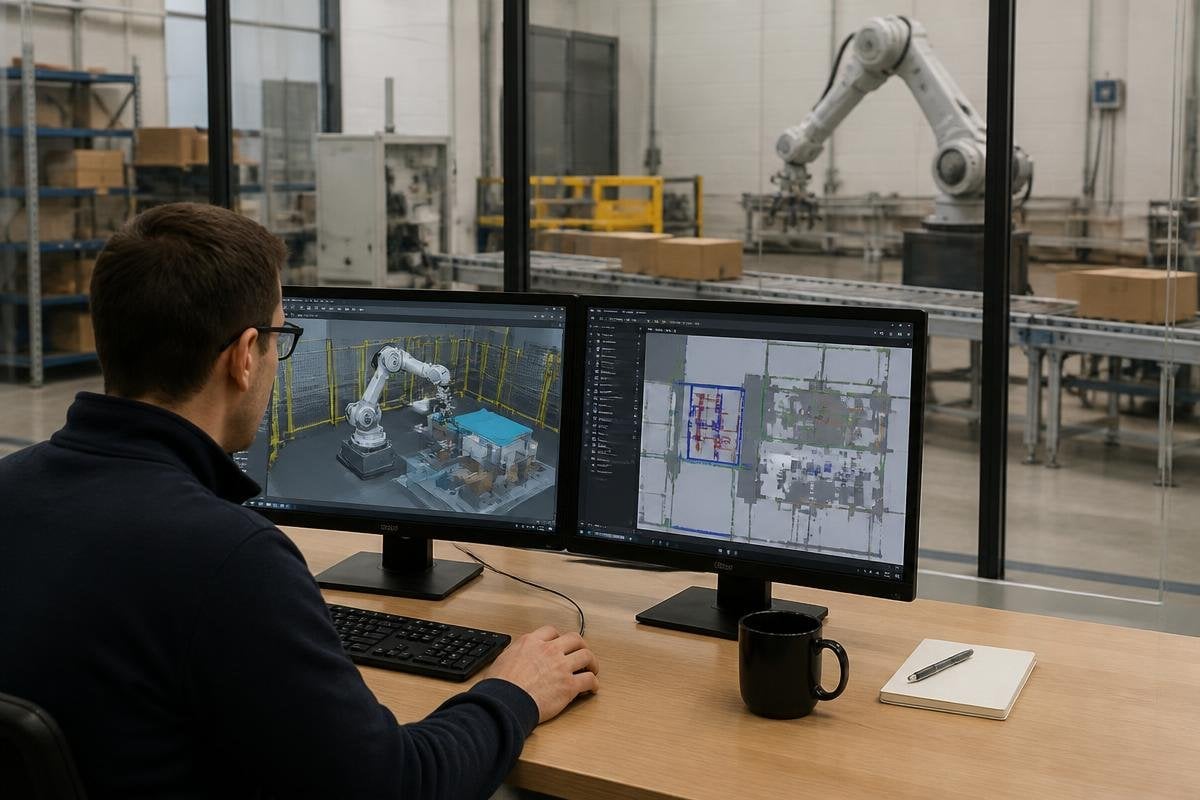
A digital twin gives a robot team a software model of a robot, its work area, and the tasks it must perform. The team can test paths, timing, sensor placement, and control code before the physical system reaches the site.
- Test robot paths inside a virtual work area
- Find collisions before hardware installation
- Compare control changes without stopping production
What a digital twin contains
A useful twin starts with the robot’s physical details. That includes its joints, reach, payload, end effector, safety limits, and movement speed. It also needs the floor plan, shelves, conveyors, doors, fixed equipment, and areas where people may work.
The software then adds the robot’s control logic. This tells the model how the robot chooses a path, reacts to an obstacle, and handles a failed movement. Sensors matter too. A LiDAR model can show which parts of a room the robot can detect, while camera data can test whether a package or tool is visible from a given angle.
The twin becomes useful when it matches the planned site closely. A missing support column or a wrong shelf height can change the result, so the model needs regular checks against the real layout.
Where testing saves time
Robot deployment often fails at the edges of a task. A path works with an empty aisle but stops when a pallet sits 20 cm farther out. A gripper reaches a bin in the model but loses the item when the approach angle changes.
Digital twins give teams a place to test those cases before installation. With changed inputs, the same task can run many times. A team might alter the robot’s start point, the location of a load, or the timing of a conveyor. Each run can show travel time, joint movement, collisions, and points where the robot waits for a sensor or safety check.
That record helps engineers compare changes with the same task setup. They can adjust a path in software, run the model again, and send the tested version to the physical robot when the site is ready.
A digital twin can cut software test cycles, but the site still decides whether the model holds up. Digital twin deployment reports can tie those results to named robots and dated trials before the next section connects software with the physical site.
The link between software and the site
A twin has more value when it receives data from the robot after installation. The physical system can send joint positions, motor temperatures, battery state, error codes, and sensor readings back to the model. Engineers can compare that data with the planned run.
A difference between the two versions points to a real issue. The robot may be taking a longer path because a safety scanner sees an object the model missed. A motor may use more current because the load is heavier than the design assumed. The site may also change after installation, with new racks or equipment blocking the original route.
This feedback turns the twin into a working reference for updates. It can show whether a software change fixes the problem or moves it somewhere else.
I’d treat the twin as a test bench, not a copy of reality. Its results are only as good as the measurements, models, and rules behind it.
What digital twins still miss
A virtual model can describe geometry well while missing physical behavior. A box may slide on a real conveyor, a soft package may deform in a gripper, or dust may reduce the quality of a camera image. These details can change a task even when the digital path looks correct.
Accurate site data matters too. If the floor plan is old or a sensor has the wrong position, the test may give a false sense of safety. Physical checks still matter before a robot shares space with people or carries a heavy load.
Teams should record which parts of the twin come from measured site data and which parts are estimates. That line tells engineers where a simulation result is strong and where a physical test must follow.
A deployment check before purchase
Use these questions when judging a digital-twin system:
- Site data: Can the team import the current floor plan and update it after changes?
- Robot model: Does the software include the exact robot, tool, payload, and joint limits?
- Sensor tests: Can it model the LiDAR, cameras, scanners, or other sensors used on site?
- Task records: Does each run save paths, collisions, wait times, and error points?
- Physical handoff: Can tested paths and settings move into the robot’s control system?
A digital twin earns its place when it cuts repeated setup work and finds faults before they reach the floor. The next test is simple: compare one simulated task with the same task on the real robot, then measure where the two runs disagree.
